UX And Design: Building Websites Users Love
User experience and design determine whether visitors engage with your website or leave. This guide covers UX principles, design processes, and best practices for creating websites that users find intuitive, accessible, and enjoyable.
Intro
User experience (UX) is how a person feels when interacting with your website. Design is how your website looks and functions. Together, they determine whether visitors engage, convert, and return — or leave frustrated and never come back.
Good UX is invisible. Users do not notice when a website is well-designed because everything works as expected. They notice immediately when it is not — confusing navigation, slow interactions, unclear calls-to-action, inaccessible content.
Investing in UX and design is not about making your website look attractive. It is about making it work effectively for the people who use it. Every dollar invested in UX returns between $2 and $100, according to Forrester Research. Well-designed interfaces have conversion rates up to 400% higher than poorly designed ones.
This guide covers the principles, processes, and practices that produce websites users love to use.
The Business Problem
Poor UX costs businesses more than most realize:
Visitors cannot find what they need. Confusing navigation, unclear information architecture, and buried content force visitors to hunt for information. Most give up and leave.
Forms are abandoned. Long, complex, or confusing forms drive visitors away. The average form abandonment rate is over 80%. Each abandoned form is a lost opportunity.
Mobile experience is broken. Many websites are designed for desktop and poorly adapted to mobile. Tiny text, unclickable buttons, and awkward layouts drive mobile visitors away.
Content is not scannable. Online reading behavior is different from print. Users scan, not read. Websites designed like print documents — long paragraphs, no headings, no visual hierarchy — lose readers.
Accessibility is an afterthought. Millions of users with disabilities cannot use websites that are not designed for accessibility. Beyond the ethical imperative, accessibility improvements benefit all users and improve SEO.
Design inconsistencies erode trust. Inconsistent spacing, typography, and visual patterns make a website feel unprofessional. Users subconsciously notice these inconsistencies and trust the business less.
Why It Matters
First impressions are formed in 50 milliseconds. Users decide whether to stay or leave within a fraction of a second. That first impression is based on visual design — colors, layout, typography. If it is negative, users leave before reading a single word of your content.
Usability drives conversions. A well-designed checkout process converts 35% better than a poorly designed one. A clear call-to-action can double click-through rates. Every usability improvement directly impacts business metrics.
Accessibility expands your audience. Approximately 15% of the global population has some form of disability. An inaccessible website excludes this audience and risks legal liability in many jurisdictions.
Good design signals quality. Users judge the quality of your products and services by the quality of your website. A professionally designed website signals that you care about details and customer experience.
UX reduces support costs. When users can find information and complete tasks independently, they do not need to contact support. Every usability improvement that reduces confusion reduces support volume.
Design consistency builds brand trust. Consistent visual language across your website creates familiarity and reliability. Users trust websites that look professional and consistent.
Common Challenges
Designing for yourself instead of your users. The biggest UX mistake is designing based on your own preferences rather than user research. What seems clear to you may be confusing to your users.
Prioritizing aesthetics over usability. A visually stunning website that is difficult to use will not achieve business goals. Beautiful design must serve usability, not compromise it.
Lack of user research. Many websites are designed without any user research. Designers and stakeholders make assumptions about user needs and behaviors that are often wrong.
Ignoring mobile users. Designing for desktop and adapting for mobile is backwards. Mobile-first design ensures the best experience for the majority of users.
Inconsistent design patterns. Every page should feel like part of the same website. Inconsistent navigation, button styles, spacing, and typography create cognitive friction for users.
Neglecting feedback and error states. Every interaction should provide clear feedback. Users should know when an action succeeded, failed, or is in progress. Error messages should be helpful, not technical.
Available Solutions
Design Process
User Research. Understanding your users through interviews, surveys, and analytics. Research reveals user needs, behaviors, pain points, and mental models. It ensures design decisions are based on evidence rather than assumptions.
Information Architecture. Organizing content and functionality in a way that matches user expectations. Clear navigation, logical categorization, and intuitive labeling help users find what they need.
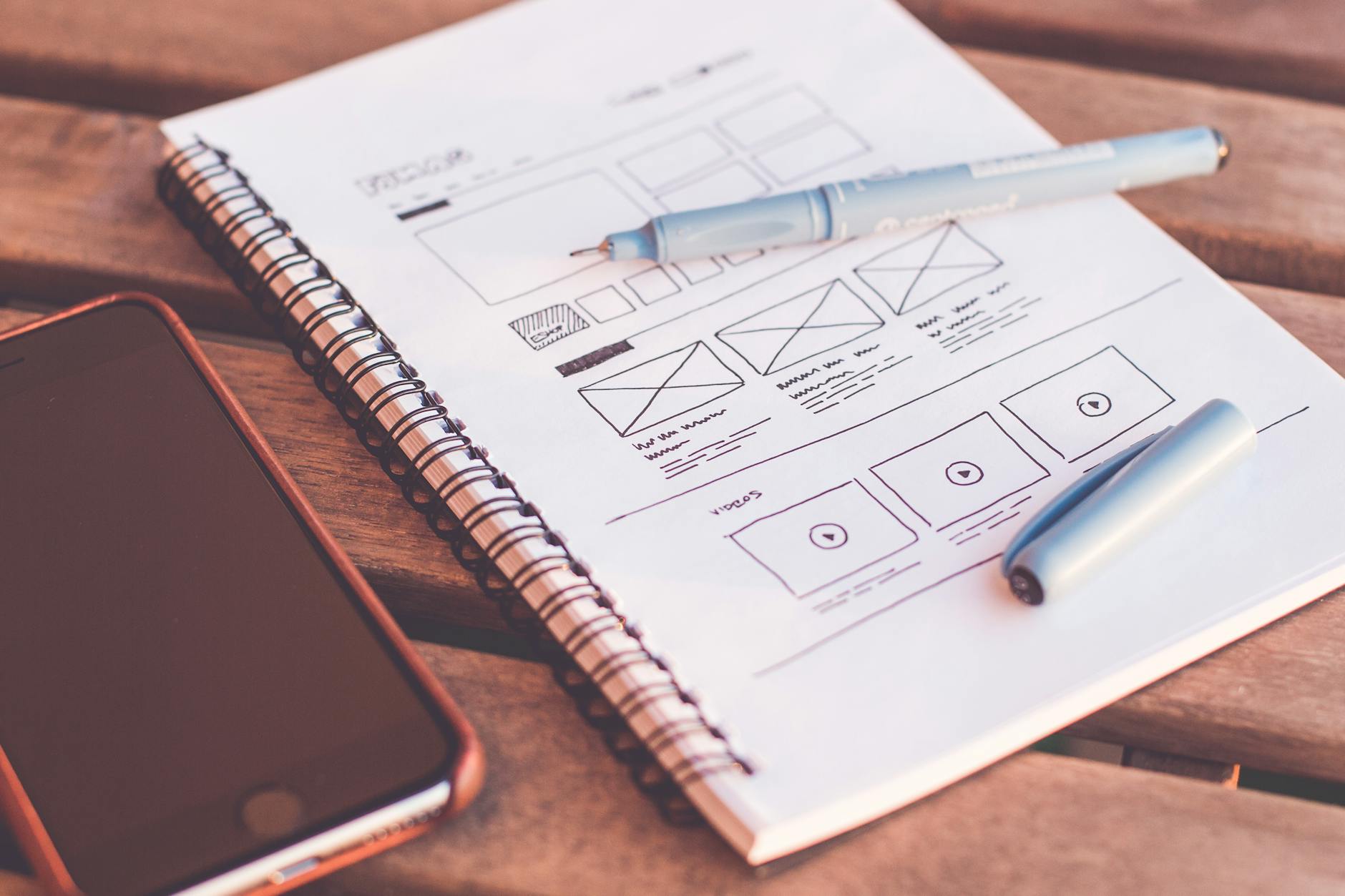
Wireframing and Prototyping. Creating low-fidelity layouts (wireframes) and interactive models (prototypes) to test design concepts before development. Prototyping catches usability issues when they are cheap to fix.
Visual Design. Applying color, typography, spacing, and imagery to create an attractive, on-brand interface. Visual design should support usability, not compete with it.
Usability Testing. Observing real users as they attempt to complete tasks on your website. Testing reveals usability issues that internal reviewers miss. It is the most valuable UX activity.
Design Principles
Clarity. Users should immediately understand what your website offers and what action to take. Every page should have a clear purpose and a single primary action.
Consistency. Similar elements should look and behave similarly throughout the website. Consistent patterns reduce learning time and cognitive load.
Feedback. Every user action should produce a visible response. Buttons should change state when clicked. Forms should show success or error messages. Progress indicators should show when processes are running.
Accessibility. Design for all users, including those with disabilities. Follow WCAG guidelines for color contrast, keyboard navigation, screen reader compatibility, and text alternatives for images.
Simplicity. Remove anything that does not serve the user’s goal. Every extra element, field, or step increases cognitive load and reduces completion rates.
** forgiveness.** Design for mistakes. Confirm destructive actions. Allow users to undo actions. Provide clear error messages that explain how to fix problems.
Benefits
Higher conversion rates. Intuitive, well-designed interfaces guide users toward desired actions. Clear calls-to-action and streamlined processes increase conversion rates.
Improved user satisfaction. Users who can easily accomplish their goals are satisfied users. Satisfied users are more likely to return, recommend, and become loyal customers.
Reduced development costs. Usability issues identified during design are much cheaper to fix than issues discovered after development. Every hour spent on UX research and testing saves 10-100 hours of rework.
Lower support costs. Self-explanatory interfaces reduce the need for user support. Well-designed error messages help users solve problems without contacting support.
Better SEO. Many UX best practices — clear navigation, descriptive headings, fast load times, mobile responsiveness — are also SEO best practices. Good UX supports search visibility.
Competitive differentiation. In most industries, competitors have similar features and pricing. User experience is often the deciding factor in which business customers choose.
Costs And Considerations
UX Investment
| Activity | Typical Investment |
|---|---|
| User Research | $5,000-20,000 |
| UX Audit | $5,000-15,000 |
| Information Architecture | $5,000-15,000 |
| Visual Design (per page) | $1,000-5,000 |
| Usability Testing (per round) | $3,000-10,000 |
ROI
Forrester Research found that every dollar invested in UX returns $2-100. The wide range reflects different contexts, but across industries, UX investment consistently delivers positive returns through increased conversions, reduced support costs, and faster development.
Ongoing Investment
UX is not a one-time activity. Ongoing research, testing, and iteration are required to maintain and improve user experience. Budget 10-20% of development budget for UX activities.
Considerations
- Do you understand who your users are and what they need?
- Are your design decisions based on evidence or assumptions?
- Do you have the capability to conduct user research and usability testing?
- Is UX integrated into your development process or treated as a separate activity?
Common Mistakes
Skipping user research. Designing without understanding users is guessing. Research does not need to be expensive or time-consuming. Even modest research — talking to five users — dramatically improves design outcomes.
Designing for the average user. There is no average user. Design for specific user segments and their unique needs. Persona-based design creates better experiences than designing for a generic audience.
Ignoring content design. Content is part of the user experience. Poorly written content, unclear headings, and unhelpful microcopy undermine good visual design. Invest in content quality.
Treating accessibility as optional. Accessibility is not a feature — it is a fundamental requirement. Designing for accessibility from the start is much cheaper than retrofitting accessibility later.
Over-relying on trends. Design trends come and go. Following trends without considering whether they serve your users or your goals produces fashionable but ineffective websites.
Not testing with real users. Internal stakeholders and designers are not representative users. Testing with real users always reveals issues that internal reviews miss. Regular testing is essential.
Future Trends
AI-assisted design. AI tools are assisting with design tasks — generating layouts, suggesting color palettes, and automating accessibility checks. These tools augment rather than replace human designers.
Voice and conversational interfaces. Voice interaction and chatbots are changing how users navigate websites. Design patterns for conversational interfaces are emerging.
Personalized experiences. Websites increasingly adapt content, navigation, and design based on individual user behavior and preferences. Personalization improves relevance and engagement.
Motion design. Thoughtful animation improves user experience by providing feedback, indicating state changes, and guiding attention. Motion design is becoming a standard UX discipline.
Inclusive design. The focus is expanding from accessibility (accommodating disabilities) to inclusive design (designing for the full range of human diversity). This broader perspective produces better experiences for everyone.
Frequently Asked Questions
What is the difference between UX and UI? UX (user experience) is the overall experience a user has when interacting with your website — how it feels, how easy it is to use, whether they accomplish their goals. UI (user interface) is the visual design — the colors, typography, buttons, and layout. UX is the strategy; UI is the execution.
How do I know if my website has UX problems? Analyze analytics for high bounce rates, low conversion rates, and drop-off points in key flows. Review support tickets for common complaints. Conduct a usability test where you observe users attempting key tasks. Any of these will reveal UX issues.
Do I need to redesign my entire website at once? No. Incremental improvement is often more effective than complete redesign. Identify the highest-impact issues and address them one at a time. Measure the impact of each change before moving to the next.
How do I measure UX? Track task success rate (can users complete what they came to do?), time on task (how long does it take?), error rate (how often do users make mistakes?), and satisfaction score (how do users rate the experience?). These metrics provide a complete picture of UX quality.
What is the most important UX principle? Clarity. Users should immediately understand what your website offers, what they can do, and what action to take. Every other UX principle supports this fundamental requirement.
How To Get Started
-
Watch a user try your website. This is the single most valuable UX activity you can do. Ask someone who is not familiar with your site to complete a key task while you observe. You will immediately identify issues.
-
Review your analytics for drop-off points. Where do visitors leave? Where do they get stuck? These are your UX priority areas.
-
Audit your navigation. Can a new visitor understand your site structure within seconds? Is your navigation labeling clear? Do users have to click multiple times to find common information?
-
Test your forms. Every field in your form should serve a clear purpose. Remove unnecessary fields. Provide clear labels and helpful error messages. Test on mobile.
-
Check your mobile experience. View your website on a phone. Can you navigate comfortably? Can you read text without zooming? Can you tap buttons easily?
-
Establish a UX process. Integrate user research, prototyping, and testing into your development process. Even small UX investments produce meaningful improvements.
We help businesses create websites that users love through research-driven design and user-centered development processes.
Conclusion
User experience and design are not luxuries reserved for consumer-facing tech companies. They are essential business disciplines that directly impact revenue, costs, and competitive position.
The most successful websites are not the most visually elaborate. They are the ones that make it easy for users to accomplish their goals. They are clear, consistent, and forgiving. They are designed based on evidence about what users actually need, not assumptions about what they might want.
Invest in understanding your users. Design with intention. Test with real people. Iterate based on evidence. The result will be a website that users find intuitive, accessible, and enjoyable — and a business that benefits from their engagement.
Need a web application?
We build fast, scalable web applications that solve real business problems.
Start your web projectAbout Microbian Systems
We are a full-service software consultancy helping startups and small to medium enterprises succeed by delivering modern, scalable solutions across web, desktop, and mobile. Our team excels in designing complex systems but we also know when simplicity wins. We build secure, performant applications tailored to each client's growth stage.